
September 21, 2026
Handling LINE Inquiries with Menus, Not Just Free-Text AI
It is Monday morning and the LINE Official Account inbox shows thirty unread messages. Read through them and the pattern is obvious: "Can I change my booking?", "It's my first visit, what should I bring?", "Is there parking?" The same three or four questions, worded a little differently each time. Whoever is on the desk starts typing replies and thinks: a menu would have handled half of this.
The opposite failure exists too. A shop turns on an AI chatbot, opens it to any question, and finds that customers do not know what to ask. Or a booking-style request, which has a fixed sequence of steps, gets handled as free text and turns into a long back-and-forth about dates.
This post covers how to handle LINE inquiries with menus and guided questions instead, using OneBot's workflow feature as the example. It also covers what the feature does not do, and what to watch for on LINE.
Where free-text AI wears people out
Japanese explainers on chatbot failures, such as GENIEE's cx-navi article, list unclear objectives, thin knowledge bases, users not finding the bot, and no KPIs among the common causes. The first one matters here. A free-text window and a vague purpose feed each other: the customer types something vague, and the bot has to ask again, then again. On LINE the thread gets longer with every round trip, and people drop off.
There is a second reason. When a procedure is fixed, wording that a person wrote and approved once is easier to reason about than text generated fresh each time.
None of this makes free text bad. It is a division of labor:
- Fixed procedures (bookings, brochure requests, product finders, requirements gathering) go through buttons and questions.
- Open-ended content (product details, terms, fine print) goes to the AI answering from your knowledge base.
In the OneBot admin these live in separate tabs: "Workflow" and "Training data".
When a guided flow fits
Booking intake is the obvious one. The date itself may be handled in a booking system outside LINE, but the step before it, "new or returning, change or cancel", works fine as buttons. A product finder for an online shop is another: two or three questions on use, budget and taste get to a shortlist faster than an open chat. Agencies and production companies can use a flow to collect what they need before writing a quote. And a flow can route only the "other" cases to a human.
What these share is that the possible answers can be narrowed to a handful. If they cannot, do not force the inquiry into a menu.
What the workflow canvas does
Each project has a "Workflow" tab. You place nodes on a canvas, connect them, and drag and zoom to see the whole flow. There are five node types: question, message, lead capture, end, and sequence.
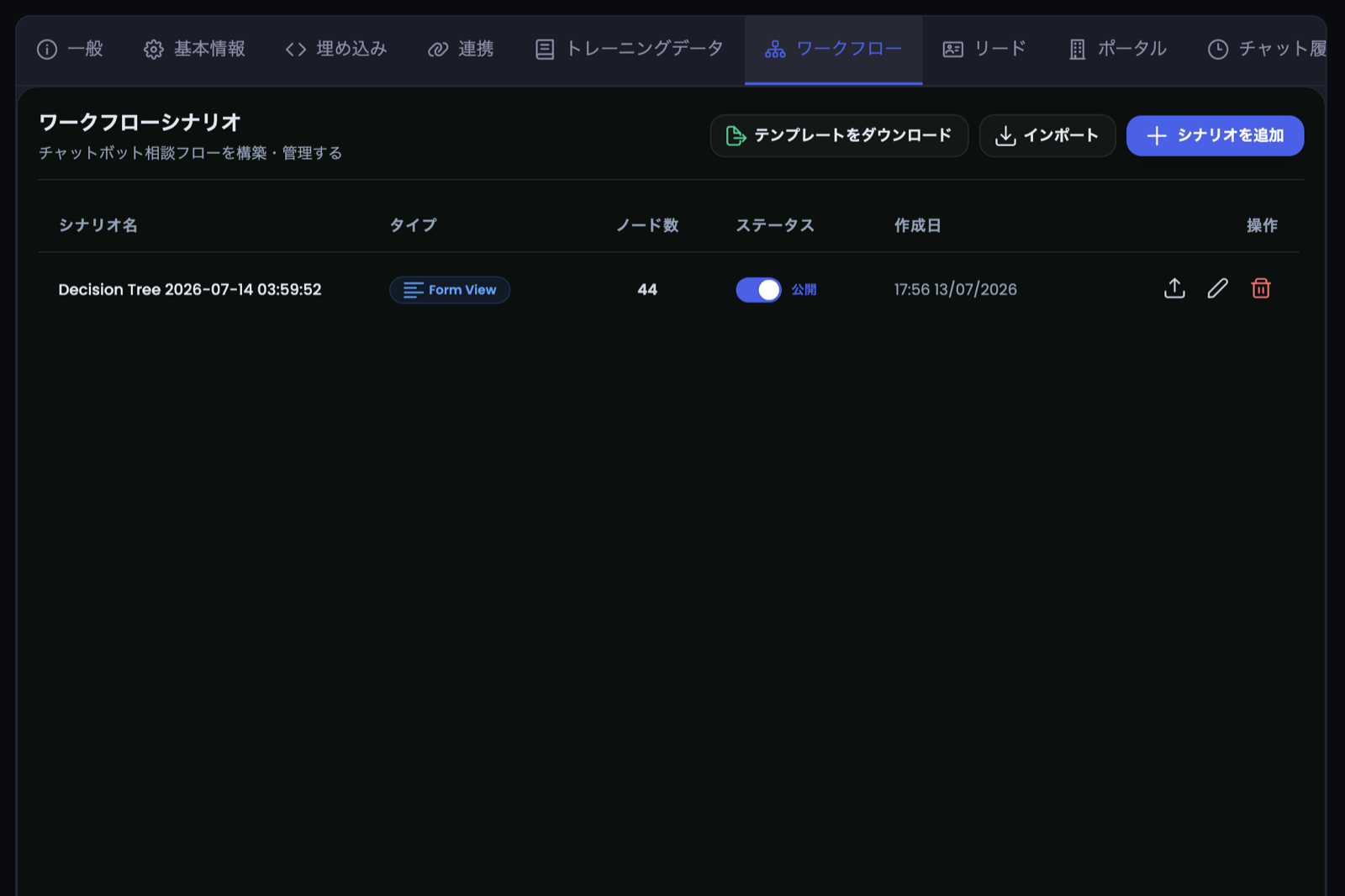
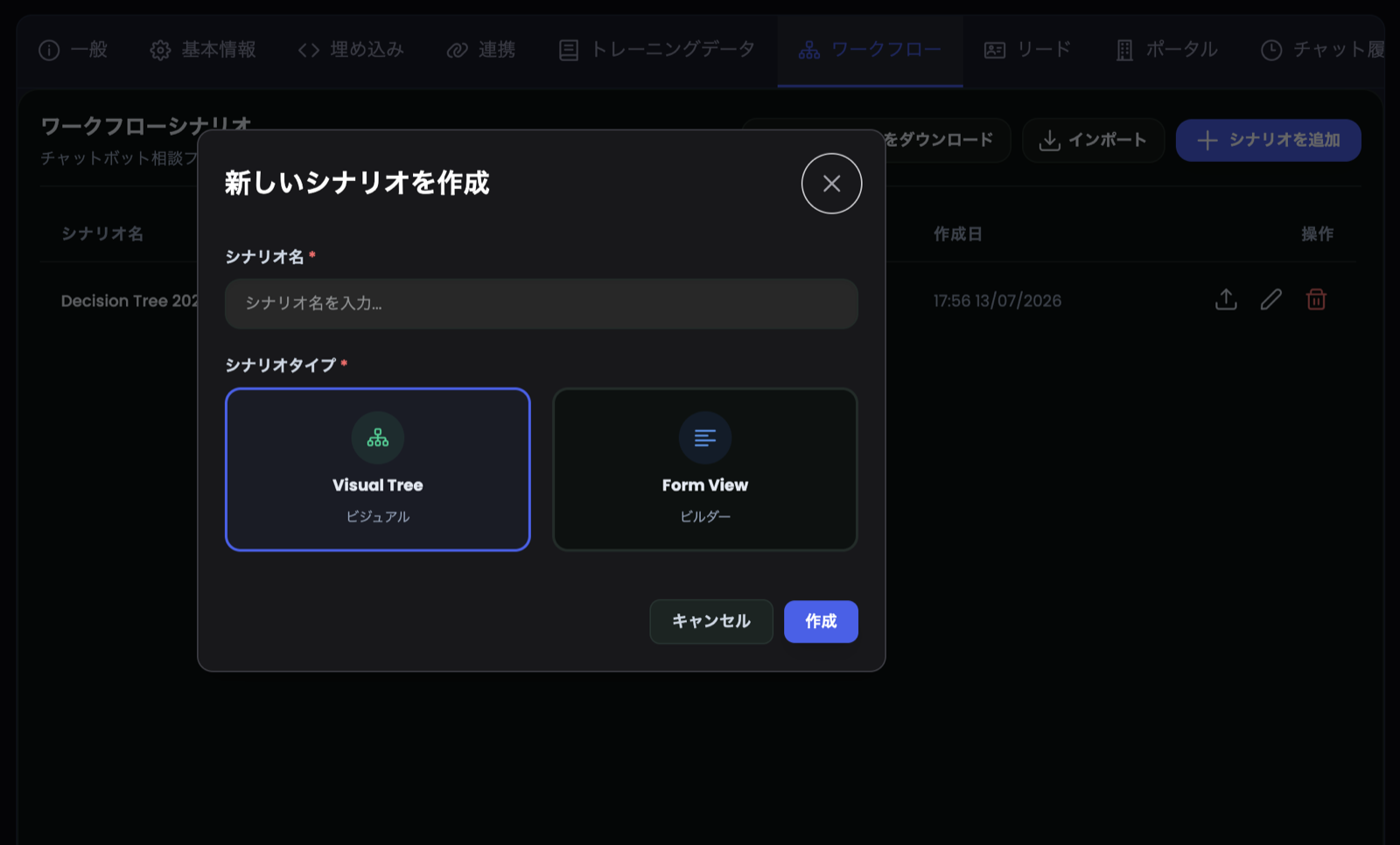
A question node has options, and each option points to the next node. Chain them to build two- or three-level flows. You also choose which node is shown first (the root).
On LINE, a question node is sent as a Flex message: the question on top, option buttons stacked below, and a "start over" button at the end. In the code, button labels are cut at 40 characters, so long option names get truncated on screen. Keep button text short.
One more behavior from reading the implementation: if a customer types text that matches an option of the current question instead of tapping the button, the flow moves forward as if they had tapped it. How tolerant the matching is of spelling variants is something to test on your own account before launch.
You can also assign a role-play character to each question node, for example a different tone for reception and for a specialist. Characters (name, avatar, personality and tone instructions) are created in the "Role-play" tab.
A worked example: a clinic front desk
The following is an invented business type used to show design thinking. It is not a client, and it claims no results. Imagine a clinic that takes appointments through a separate booking system and wants LINE inquiries sorted by the first question.
Three design choices matter here. Keep the first question to about four options; more than that and people scroll instead of reading. Always include an "Other" exit to a human, or anyone who does not fit becomes stuck. And keep symptom or treatment questions out of the flow altogether; route them to staff. For how medical providers should think about LINE and personal data, see LINE for clinics and the APPI.
What works on LINE, and what does not
The lead-capture node behaves differently on LINE. On the web chat widget, it shows a form for name, company, email and phone. When I checked the LINE backend, a lead-capture node that has a following node is skipped on LINE; a code comment says LINE does not support form input.
So do not plan on "ask for name and email in the middle of a LINE flow and file it automatically into the lead list". On LINE, use buttons to narrow the request, then have a person ask for details in a reply, or hand the customer to a form via a link. This may change, so ask your OneBot contact for the current state before you rely on it.
The code also has a way to switch from the tree into free-text AI answers, but we would rather walk you through how it is set up during onboarding than describe menu names here.
LINE-side setup is separate. Enabling the Messaging API and registering the webhook happen in LINE Developers; building a workflow does not by itself put buttons in your account. The setup steps are in our LINE Official Account chatbot guide.
Leads and CSV export (web chat)
Leads collected through the web widget appear in the "Leads" tab. Columns: date and time, name, company, email, phone, project, workflow, capturing node, assigned character, status, and node path. Status is either unhandled or handled, and you can search by name, email or company, open a detail panel, mark a lead as handled, or delete it.
The "CSV export" button downloads the list. The file is UTF-8 with a BOM, so Excel opens Japanese text correctly, and the file name contains the project name and a timestamp. Cells are sanitized on export so that a value starting with a formula character is not executed when opened.
A common misunderstanding: this is an export of what is in the admin at that moment. It is not a CRM integration. Getting it into a sales tool means importing manually or building a connection separately.
Multiple trees, export and import
A project can hold several workflows with one active at a time. Keep one for normal periods and one for a busy season, and switch by activating. A draft can live as its own tree.
You can also export a workflow as a file (JSON) and import it into another project. Agencies can build a template per industry and adjust it per client. Two limits: attachments in a flow file are capped at 5 MB each, and imported attachments are valid only on the same server. If you move a flow between environments, expect to replace the attachments. Design templates with few attachments.
Free-text questions still go to the knowledge base
Questions the workflow does not cover ("What is this made of?", "When does the cancellation fee start?") are answered by the AI from what you registered in Training data: PDF, Word, Excel, PowerPoint and similar files.
You have to grow both. A polished workflow with an empty knowledge base leaves the "Other" path with nothing to say; a good knowledge base without a workflow makes fixed procedures more tedious than they need to be. And when products or terms change, both need review. It is not a build-once job.
Your data is stored on servers located in Japan per project, but answers are generated through external AI APIs, so that processing may happen outside Japan. If you handle personal data, check that point internally.
How to start
- Look at last month's inquiries and list the top three or four types.
- Turn into a workflow only those whose answers narrow to a few options.
- Keep the first question to about four options and always add an "Other" exit.
- Tap through it yourself on your own LINE account and check that labels are not cut.
- Leave the rest to the knowledge base. Review what went unanswered each week and decide whether to add a menu option or a document.
OneBot has a 14-day free trial, so you can build a real flow before deciding. Start from the trial page, and mention it if you want to talk through the design.
For related reading: cost is covered in LINE chatbot cost benchmarks, and pre-launch checks in the SME rollout checklist.
FAQ
FAQ
Can I build a workflow without coding?
Yes, you place nodes on a canvas and connect them. The design itself, which questions to ask in what order, is still your job. Sketching it on paper first makes the screen work faster.
How many buttons can a LINE menu have?
We have not found a button-count cap in OneBot's code, but LINE Flex messages have display limits, and button labels are truncated at 40 characters. About four options for the first question reads best in practice.
Can I collect names and emails inside a LINE flow?
Do not plan on it for now. The web widget supports lead forms, but on LINE a lead-capture node with a following node is skipped. Use buttons to sort the request and collect details by reply or a separate form.
Will the lead CSV open correctly in Excel?
It is exported as UTF-8 with a BOM, which lets Excel show Japanese text correctly. Behavior can vary with Excel version and settings, so test with a small file first.
Can I copy a workflow to another project?
Export it as a file and import it elsewhere. Attachments are capped at 5 MB each, and imported attachments work only on the same server, so you may need to re-attach files when moving between environments.
What happens if someone types something that is not an option?
If it matches an option of the current question, the flow advances as if the button was tapped. Otherwise the response depends on your knowledge-base setup and operations. Decide during setup how unexpected input should be handled.
Do I need both the workflow and AI answers?
Either can run alone, but most teams use both: workflow for fixed procedures, the knowledge-base AI for individual questions.
Do I need a LINE Official Account?
Workflows also work in web chat. For LINE you need an Official Account plus Messaging API setup on the LINE side.
Related articles
- LINE Chatbot for Japanese Clinics & Healthcare 2026: APPI-Compliant Patient CommunicationHealthcare chatbot Japan: how clinics use LINE AI chatbots to automate patient FAQs, appointment reminders, and clinic info while staying APPI-compliant.
- LINE Official Account Chatbot: The Complete Business Guide for Japan 2026Everything you need to evaluate, select, and deploy a chatbot on LINE Official Account in Japan — use cases, vendor criteria, costs, and a 2-week go-live timeline.
- AI Chatbot Implementation Checklist for Japanese SMBs: 7-Step Guide 2026Chatbot implementation checklist for Japan SMBs — 7 actionable steps covering FAQ audit, channel selection, knowledge base prep, vendor evaluation, and go-live.
- How to Build a LINE Chatbot in Japan 2026: DIY vs SaaS Platform ComparisonHow to build a LINE chatbot in Japan 2026 — compare LINE Messaging API dev, no-code tools, and RAG SaaS platforms by cost, speed, and maintenance.